
Cricbet99 Forgot Password – How to Reset Your Account Password
Forgot your Cricbet99 password? You can reset it using the registered mobile number and OTP associated with your account. After verifying the OTP, you can create a new password, confirm it, and then use the updated password to log in again.
The password recovery process is useful if you cannot remember the password you created during Cricbet99 registration. You do not need to create a new account just because you have forgotten your password.
How to Reset Your Cricbet99 Password
The Cricbet99 password recovery process follows these basic steps:
Registered Mobile Number → OTP Verification → New Password → Confirm Password → Update Password → Login
Follow the steps below to reset your password.
Step 1: Open the Cricbet99 Login Screen
Open the Cricbet99 login screen and look for the Forgot Password option.
Select it to start the password recovery process.
If you are using Cricbet99 Red, make sure you are accessing the appropriate login screen associated with your account.
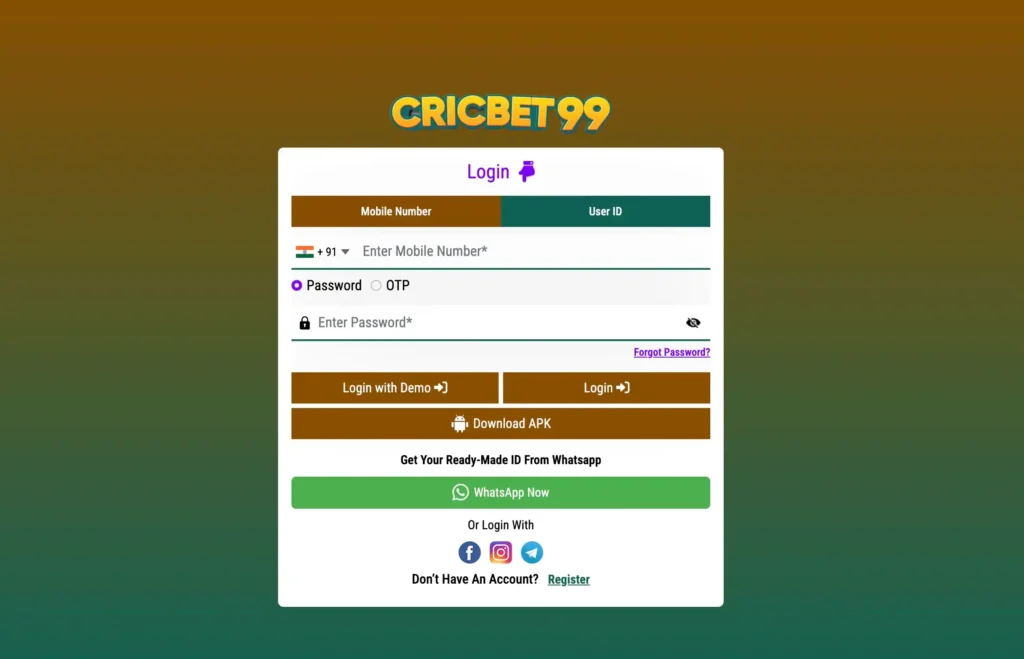
Step 2: Enter Your Registered Mobile Number
Enter the mobile number you used during Cricbet99 registration.
The number should be accessible because an OTP will be sent to it for verification.
Check the number carefully before requesting the OTP.
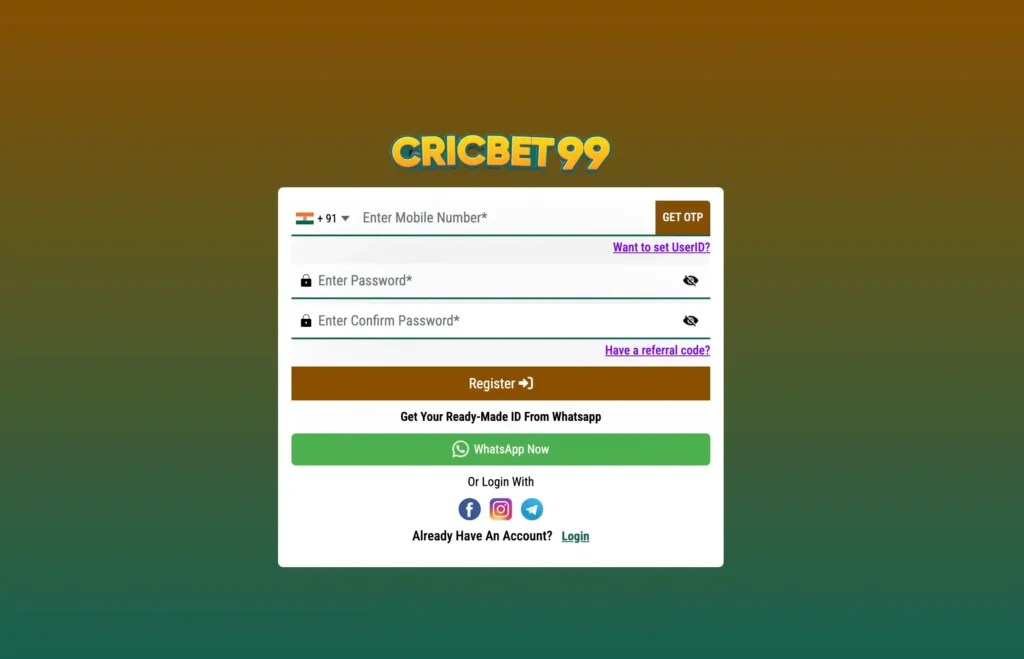
Step 3: Request the OTP
After entering your registered mobile number, select the option to Get OTP.
An OTP will be sent to the verified mobile number associated with your account.
Keep your phone available so you can enter the verification code when it arrives.
Step 4: Enter the OTP
Check your registered mobile phone and enter the OTP in the password-reset screen.
The OTP is used to verify access to the mobile number associated with the account.
If the OTP has expired, request a new one and complete the verification process again.
Step 5: Create a New Password
After successfully verifying the OTP, enter your new password.
Choose a password that you can remember but that is not easy for someone else to guess.
Avoid sharing your password with anyone.
Step 6: Confirm Your New Password
Enter the same password again in the Confirm Password field.
Both password fields must match before the password can be updated.
If they do not match, check the two entries and enter the password again.
Step 7: Update Your Password
After entering and confirming your new password, select the option to Update Password.
Once the password has been successfully changed, you can return to the Cricbet99 login screen.
Step 8: Login to Cricbet99 Again
After resetting your password, log in using your updated credentials.
Depending on the login options available for your account, you may be able to use:
- Your User ID and new password
- Your registered mobile number and new password
- Your registered mobile number with OTP
Use the login method associated with your account.
What You Need to Reset Your Cricbet99 Password
Before starting the recovery process, make sure you have:
| Requirement | Why It Is Needed |
|---|---|
| Registered mobile number | Used to identify the account and receive the OTP |
| Access to your phone | Required to receive the verification OTP |
| OTP | Used to verify the registered mobile number |
| New password | Replaces the forgotten password |
| Confirm password | Confirms the new password before updating |
Forgot Cricbet99 Password but Have Your Mobile Number
If you remember the mobile number associated with your account, the password recovery process is straightforward.
Open the login screen, select Forgot Password, enter your registered mobile number, verify the OTP and create a new password.
After updating the password, return to the login screen and sign in again.
What If You Cannot Receive the OTP?
If you have entered your registered mobile number but the OTP does not arrive, first check that the number is correct.
You can also:
- Check your phone’s SMS inbox.
- Make sure your phone has network connectivity.
- Wait briefly before requesting another OTP.
- Confirm that you are using the mobile number linked to your account.
- Try the recovery process again.
If the problem continues, use the available account-support option.
What If You Enter the Wrong Mobile Number?
The password recovery process is linked to the mobile number associated with your account.
If you enter a different number, you may not receive the OTP required to verify the account.
Use the same mobile number that you provided during Cricbet99 registration.
Can I Create a New Account Instead?
If you already have a Cricbet99 account but have forgotten the password, resetting the existing password is preferable to creating another account.
Use the Forgot Password option to recover access to your existing account.
If you do not have an account, you can use the Cricbet99 registration process to create one.
Password Reset vs New Registration
| Situation | What to Do |
|---|---|
| You forgot your password | Use Forgot Password |
| You cannot access your password | Reset the password using your registered mobile number and OTP |
| You already have an account | Use Login |
| You do not have an account | Complete Cricbet99 registration |
| You need a new password | Use the password recovery process |
Important Password Security Tips
After creating a new password, keep your account credentials secure.
- Do not share your password with other people.
- Do not share OTPs received on your registered mobile number.
- Avoid using an easily guessed password.
- Make sure you enter the new password correctly.
- Remember the updated password for your next login.
- If you believe someone else has access to your credentials, change your password.
Cricbet99 Forgot Password
If you have forgotten your Cricbet99 password, follow these steps:
1. Open Login
Go to the Cricbet99 login screen.
2. Select Forgot Password
Choose the password recovery option.
3. Enter Mobile Number
Enter the mobile number registered with your account.
4. Get OTP
Request the verification OTP.
5. Verify OTP
Enter the OTP received on your registered mobile number.
6. Create Password
Enter your new password.
7. Confirm Password
Enter the same password again.
8. Update Password
Submit the new password.
9. Login Again
Return to the Cricbet99 login screen and use your updated password.
Cricbet99 Forgot Password
1. How do I reset my Cricbet99 password?
Select Forgot Password on the Cricbet99 login screen, enter your registered mobile number, verify the OTP and create a new password. Confirm the password and update it, then log in again.
2. Can I reset my Cricbet99 password using my mobile number?
Yes. The password recovery process uses the mobile number associated with your Cricbet99 account to send an OTP for verification.
3. What OTP do I need for Cricbet99 password recovery?
You need the OTP sent to the mobile number registered with your Cricbet99 account. Enter the received OTP in the password-reset screen to continue.
4. What should I do if I forgot my Cricbet99 password?
Use the Forgot Password option rather than registering another account. Enter your registered mobile number, verify the OTP and set a new password.
5. Can I log in after changing my Cricbet99 password?
Yes. After successfully updating your password, return to the Cricbet99 login screen and use your User ID or registered mobile number together with the new password, depending on the available login method.
6. What if I do not receive the Cricbet99 password-reset OTP?
Check that you entered the correct registered mobile number and that your phone can receive SMS messages. If necessary, wait briefly and request another OTP.
7. Do I need to register again if I forget my Cricbet99 password?
No. If you already have a Cricbet99 account, use the Forgot Password process to recover access to the existing account instead of creating another account.